
The program works overnight; you just decide in the morning
There’s no need to run each feature by hand every day. Schedule a time and the program runs them in order; in the morning you read one page, Today’s Summary.
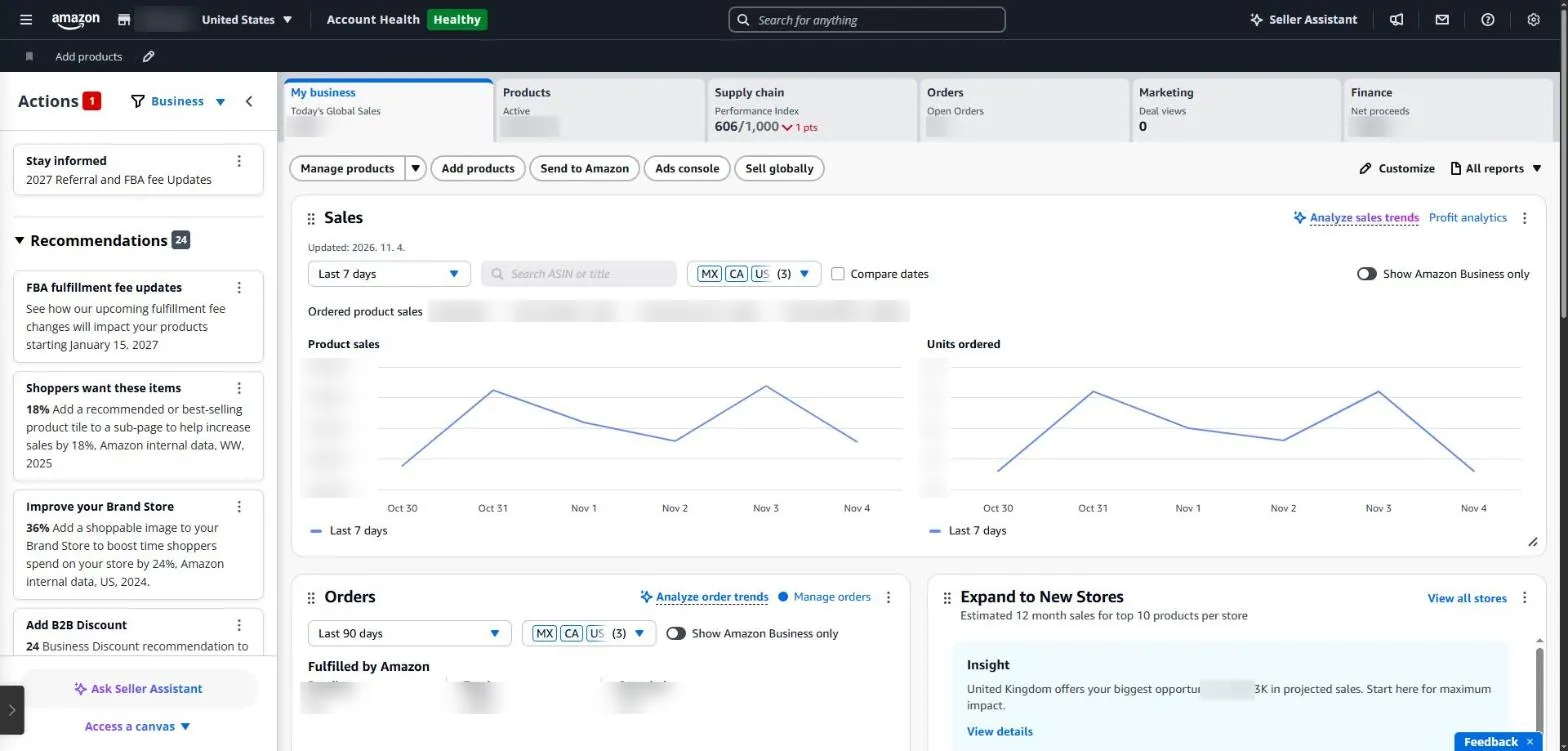
The Seller Central home page. Sales, orders, inventory and finance figures sit under separate tabs, so a morning check means clicking through several places. Figures are masked.
Setting up the daily run
- Pick a time (for example 08:10) under ‘Daily auto-run’ in the desktop program; it registers with Windows Task Scheduler (launchd on Mac).
- The PC must be on at that time.
- It runs home → action items → account health → all listings → FBA → orders → business → ads → listings → Buy Box → funnel → finance (weekly). Ad reports are requested first and waited on while the rest runs.
- When it finishes, a desktop notification shows the most urgent item and the P0 and P1 counts.
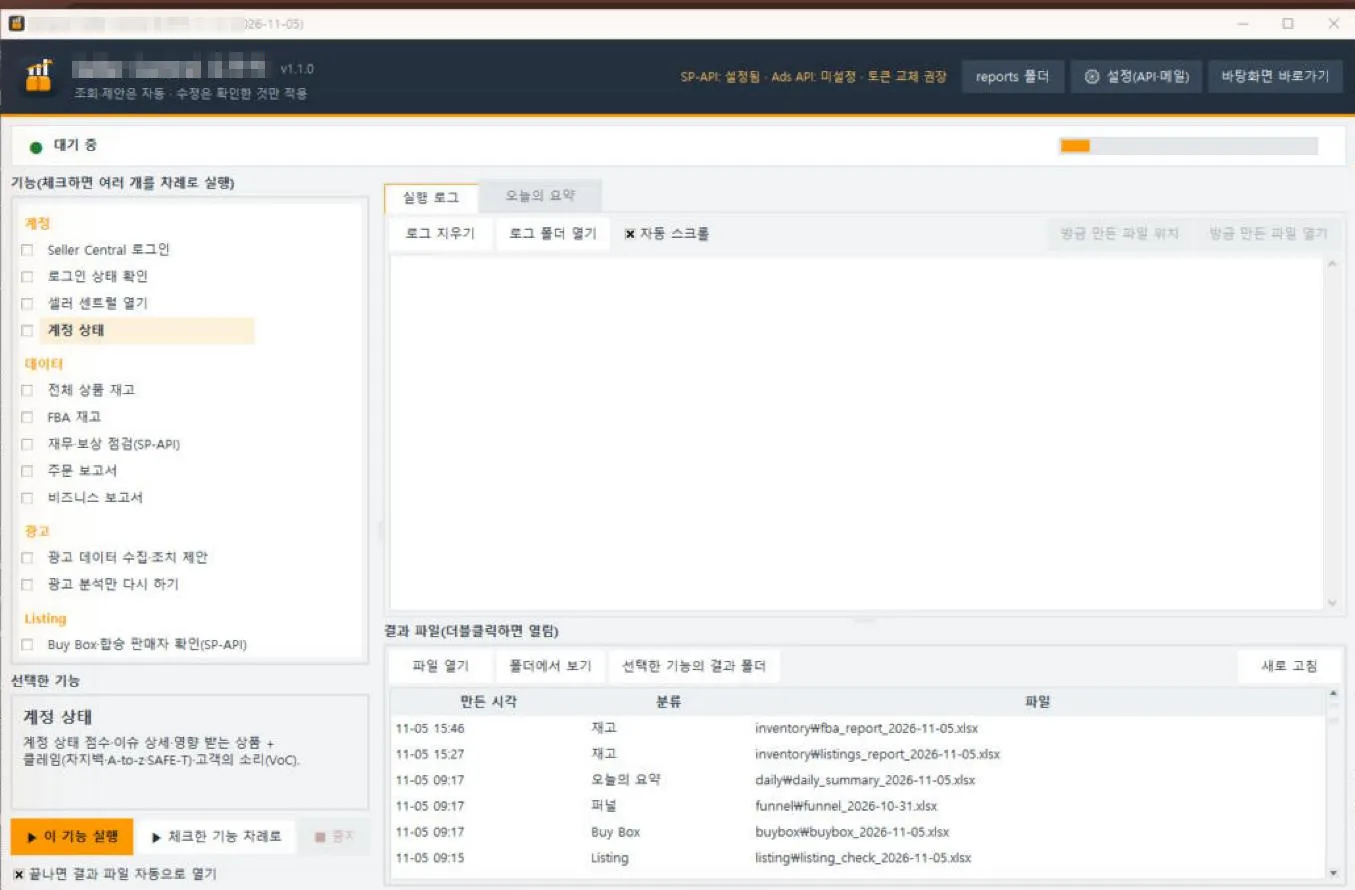
The desktop program: tick features to run them in order, or see results right away in the Today’s Summary tab (the program’s screens are in Korean).
A 15-minute morning routine
- Check the notification (1 min) — just see whether there is a P0.
- Handle P0 (5 min) — things for today, like a policy violation or a stock-out while selling. The summary’s ‘how’ column has the menu path.
- Scan P1 (5 min) — Buy Box, reimbursement deadlines, low stock; decide what to do this week.
- L1 ad suggestions (4 min) — apply only the reversible ones, like negatives and small bid changes, in the Ads console.
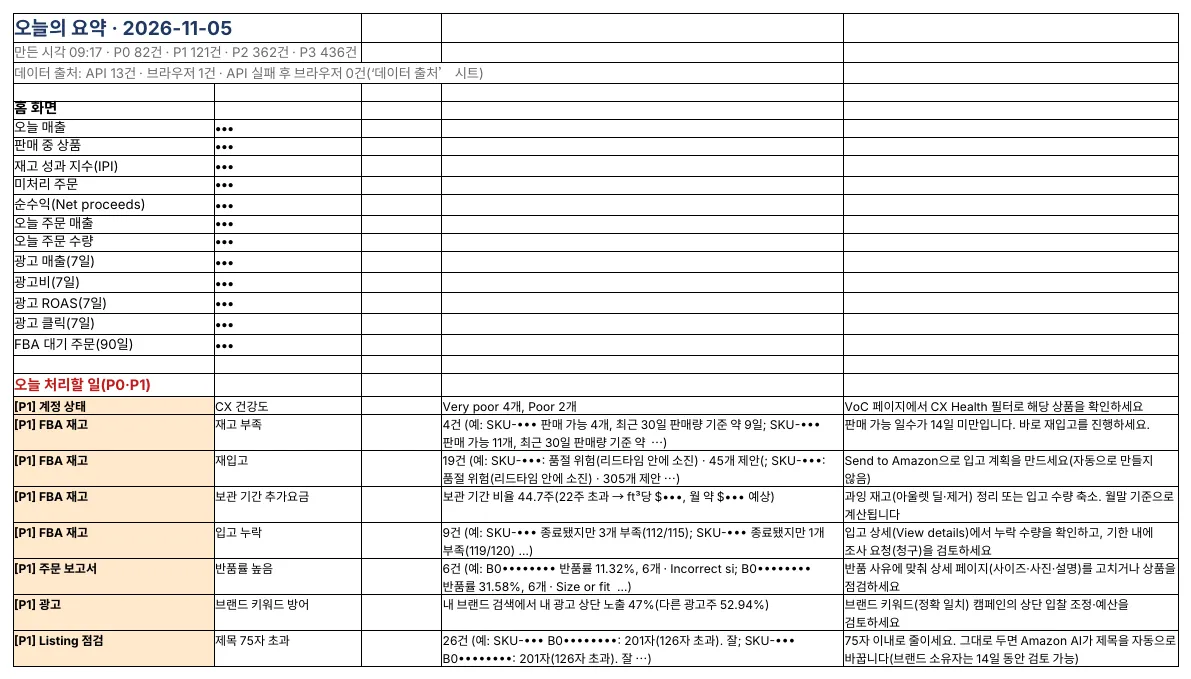
Part of a real Today’s Summary (sales, SKUs and ASINs masked).
Weekly and monthly
| When | What |
|---|---|
| Weekly | Review the funnel, file reimbursement claims, check the effect of past ad suggestions |
| Monthly | Clear aged stock, update costs, apply title drafts, check API token renewal reminders |
Amazon seller series
- Anyone can become an Amazon seller
- The real challenge after you start
- Sales data at a glance
- Ads at a glance
- Listings at a glance
- Keeping your account healthy
- FBA inventory without stock-outs or overstock
- Finding problems in orders and returns
- Reading conversion in business reports
- Finding drop-offs with Brand Analytics
- Guarding your Buy Box from hijackers
- Getting reimbursed for lost FBA inventory
- Check profit before you change a price
- A 15-minute morning routine (this post)
- Safe automation with the official API
Based on personal experience. Not affiliated with or endorsed by Amazon.com, Inc. or its affiliates. Policies and fees are as of the time of writing — check Seller Central for the latest.